

Documentation Index
Fetch the complete documentation index at: https://docs.antryk.com/llms.txt
Use this file to discover all available pages before exploring further.
Static Services
Static Services allow developers to deploy modern frontend applications and static websites globally with high performance, automatic HTTPS, CDN delivery, and production-ready infrastructure. Using Static Services, teams can host:- React applications
- Next.js static exports
- Vue applications
- Angular apps
- Astro projects
- Documentation websites
- Marketing landing pages
- Portfolio websites
- JAMstack applications
- Static HTML/CSS/JS sites
What are Static Services?
Static Services are globally distributed frontend hosting services optimized for static assets such as HTML, CSS, JavaScript, images, and pre-rendered applications. Unlike traditional backend services, Static Services deliver content directly through edge infrastructure and CDN caching for ultra-fast page loads and scalable traffic handling. Every Static Service receives:- Automatic CDN delivery
- HTTPS by default
- Global edge caching
- Custom domain support
- Instant deployments
- Production-ready infrastructure
Key Features
- Global CDN Delivery: Fast content delivery worldwide
- Automatic HTTPS: SSL certificates provisioned automatically
- Custom Domains: Connect your own domains easily
- Redirect Rules: Configure redirects and URL routing
- Instant Deployments: Deploy directly from Git repositories
- Atomic Deployments: Zero downtime frontend deployments
- Environment Variables: Manage frontend runtime configuration
- High Performance Caching: Optimized asset delivery
- Git-Based CI/CD: Automatic deployments on Git push
- Production-Ready Hosting: Scalable frontend infrastructure
Use Cases
- Frontend applications
- SaaS dashboards
- Marketing websites
- Product landing pages
- Documentation platforms
- JAMstack applications
- Static blogs
- Portfolio websites
- E-commerce storefronts
- Web app frontends
Supported Frameworks
- Next.js: Full SSR and ISR support
- Nuxt: SSR and static generation
- SvelteKit: SSR and adapter support
- Gatsby: Static site generation
- Vite: Build tool integration
- React/Vue/Angular: Static exports
Quickstart: Deploy a React Application
Guide on deploying static service
Deploy your frontend application on Antryk in just a few clicks.
Step 1: Push Your Project to GitHub
Push your frontend project to GitHub, GitLab, or Bitbucket. Supported frameworks include:- React
- Next.js Static Export
- Vue
- Angular
- Astro
- Vite
- Svelte
- Static HTML websites
Example React App Structure
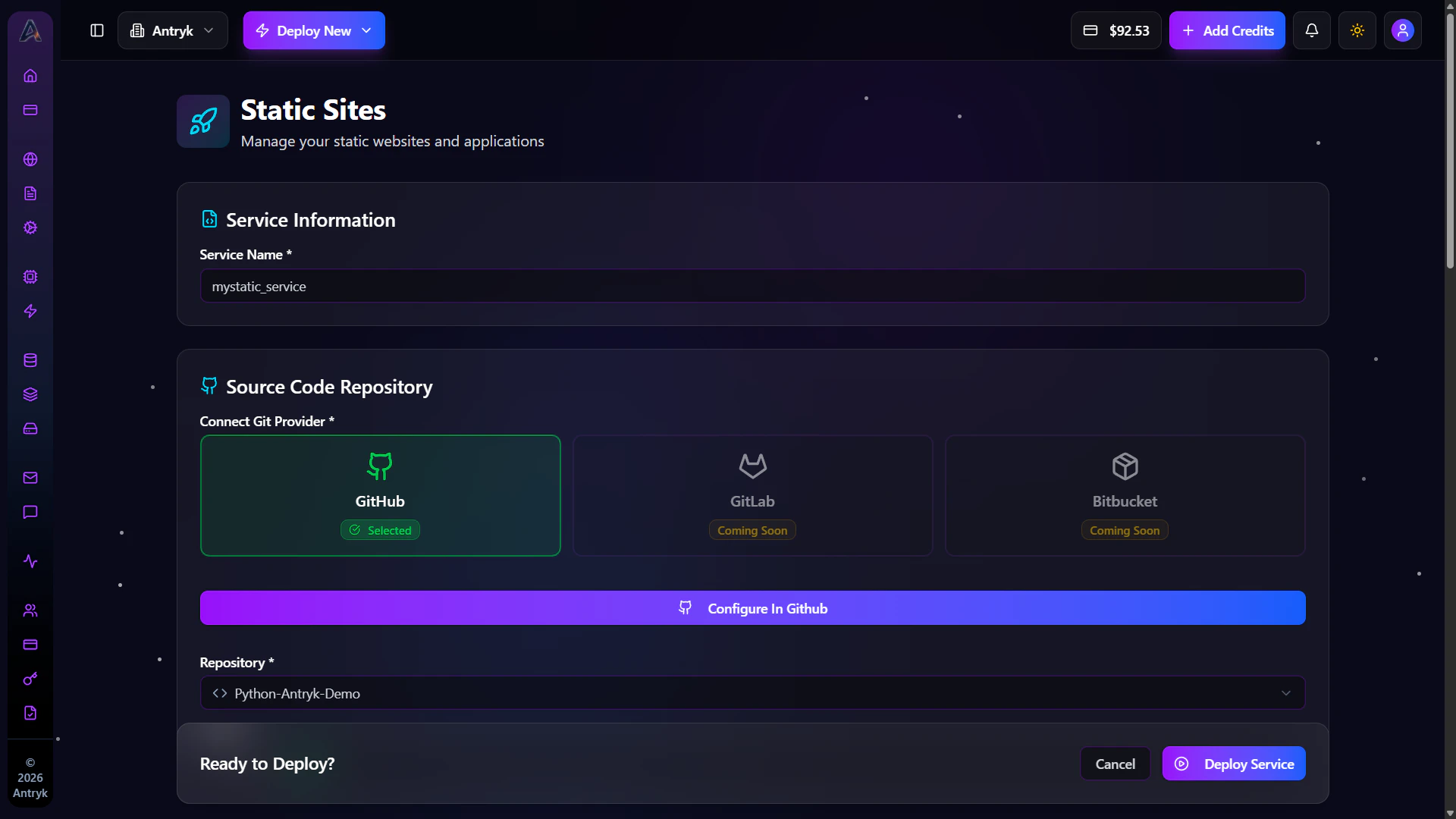
Step 2: Create a Static Service
In the Antryk Dashboard: Sidebar → Static Services → Deploy Static ServiceStep 3: Configure Your Static Service
Provide the following configuration during deployment.Service Name
Give your Static Service a professional production name.Deploy from Git Providers
- Git Provider — Select your Git provider
- Repository — Select your frontend repository
- Branch — Choose deployment branch
- Framework — Automatically detected
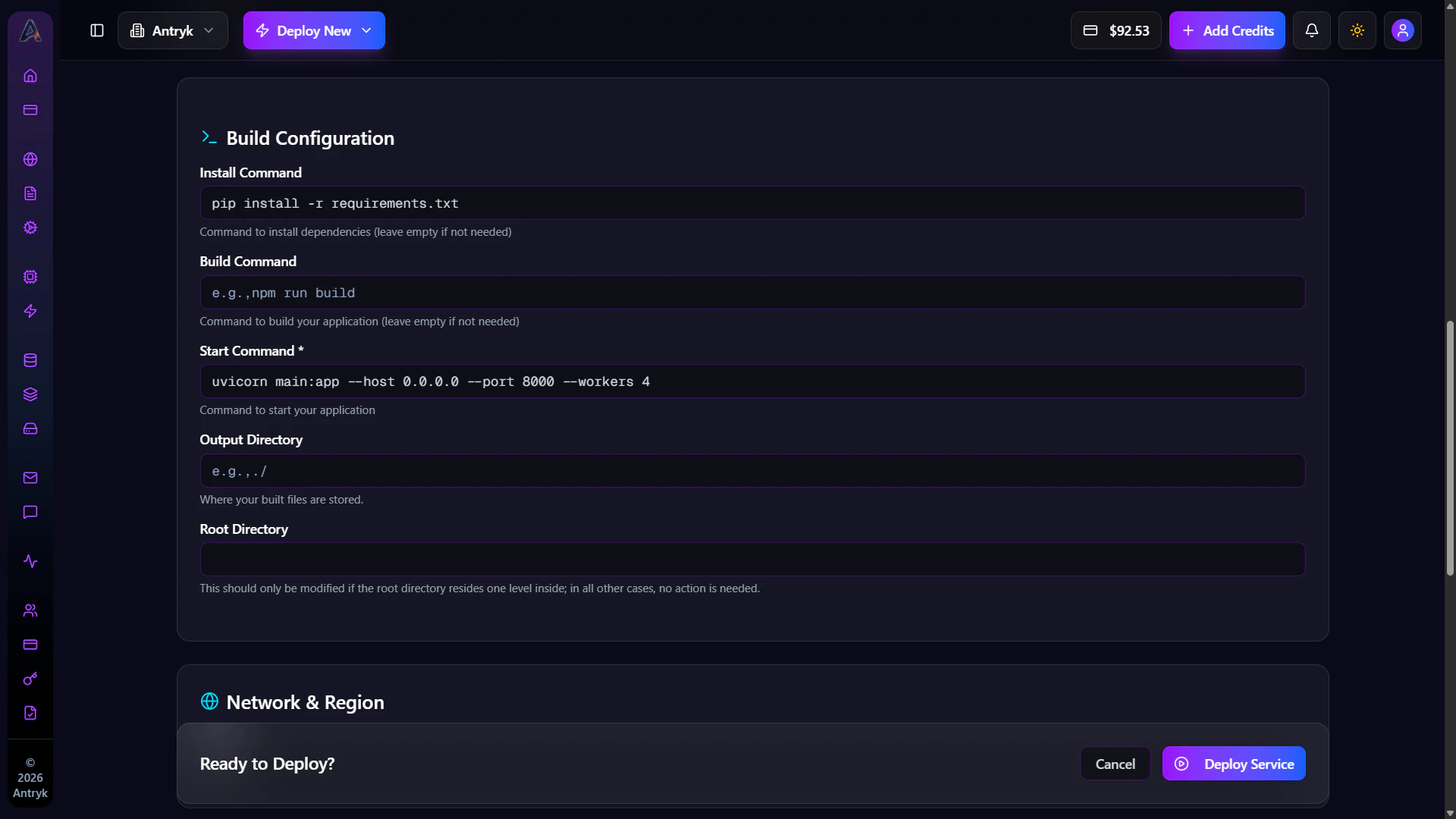
- Install Command — Example:
npm install - Build Command — Example:
npm run build - Output Directory — Example:
dist,build, orout - Version — Automatically detected runtime version
Region
Choose deployment region:- USA
- Europe
- Asia
Environment Variables
Add frontend environment variables if required. Examples:- API URLs
- Analytics keys
- Public environment variables
- Frontend runtime configuration
Configuration Summary
| Setting | Value |
|---|---|
| Repository | your-username/frontend-app |
| Branch | main |
| Framework | React |
| Install Command | npm install |
| Build Command | npm run build |
| Output Directory | dist |
| Version | 18 |
| Region | us-east-1 |
Step 4: Deploy
Click Deploy and your Static Service will automatically build and go live on its publicantryk.app domain.
Antryk automatically:
- Builds your frontend
- Deploys assets globally
- Enables CDN delivery
- Provisions HTTPS certificates
- Configures edge caching
Every push to your connected Git branch automatically triggers a new
deployment.
Step 5: Monitor Your Deployment
Once deployed, you can:- View deployment history
- Configure custom domains
- Add redirect rules
- Manage environment variables
- Monitor deployment status
- Configure frontend settings

Getting Started
- Create a new Static Service
- Connect your Git repository
- Configure build settings
- Set output directory
- Deploy globally
Console Configuration
When creating a Static Service, you can configure the following settings.Deploy from GitHub
- Repository — Select your repository
- Branch — Choose deployment branch
- Framework — Auto-detected frontend framework
- Install Command — Install dependencies
- Build Command — Build frontend assets
- Output Directory — Generated frontend files
- Version — Runtime version
Supported Framework Examples
React / Vite
Next.js Static Export
Vue
Angular
Astro
Advanced Features
Static Services support advanced production-grade capabilities.Included Features
- CDN edge delivery
- Asset optimization
- Automatic HTTPS
- Redirect rules
- Domain management
- Cache optimization
- Environment configuration
- Git-based CI/CD
Pricing
Static Services are billed based on:- Build usage
- CDN bandwidth
- Storage usage
- Deployment frequency
Static Service Detail Insights
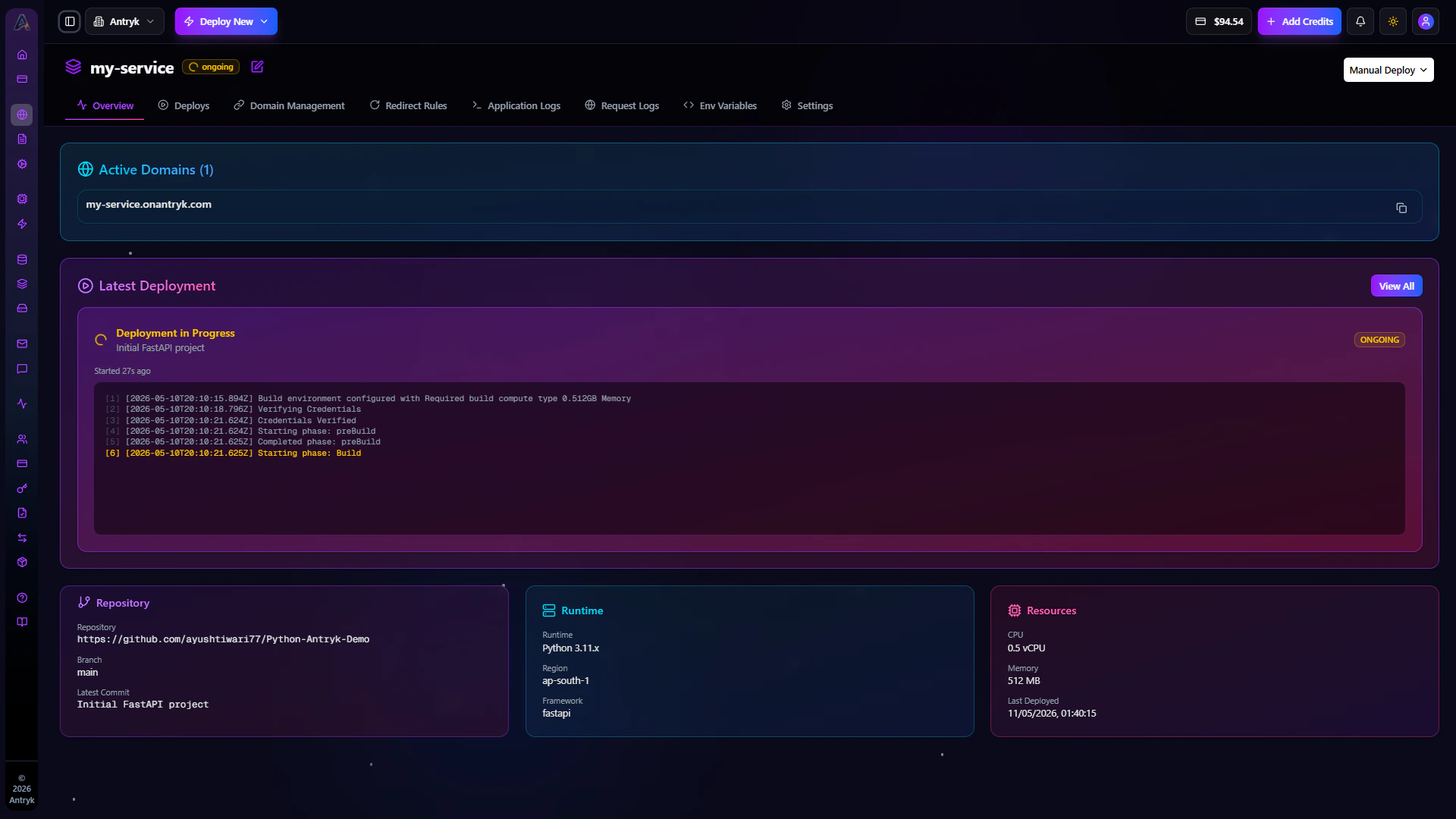
Click any Static Service to open the detailed management dashboard. This dashboard gives developers complete control over deployments, domains, redirect rules, environment variables, and production settings.Overview
The Overview tab provides a complete summary of your Static Service configuration and deployment status. Developers can monitor:- Production domains
- Latest deployment
- Connected repository
- Build configuration
- Framework information
- Deployment region
- Deployment timestamps
Available Information
- Active production domains
- Latest deployment status
- Git repository details
- Deployment branch
- Framework runtime
- Build configuration
- Region configuration
Operational Benefits
The Overview tab helps teams:- Verify production deployments
- Review deployment metadata
- Monitor frontend infrastructure
- Validate deployment configuration
Deploys
The Deploys tab contains your complete frontend deployment history. Each deployment includes:- Deployment status
- Build logs
- Deployment duration
- Commit information
- Trigger source
- Deployment timestamp
Deployment Features
- View deployment history
- Inspect failed deployments
- Review build logs
- Redeploy previous versions
- Monitor deployment performance

Domain Management
Manage Your domains with domain management
Get started with Domains.
Redirect Rules
Manage Redirect Rules and URL Redirects
Get started with Redirect Rules.
Environment Variables
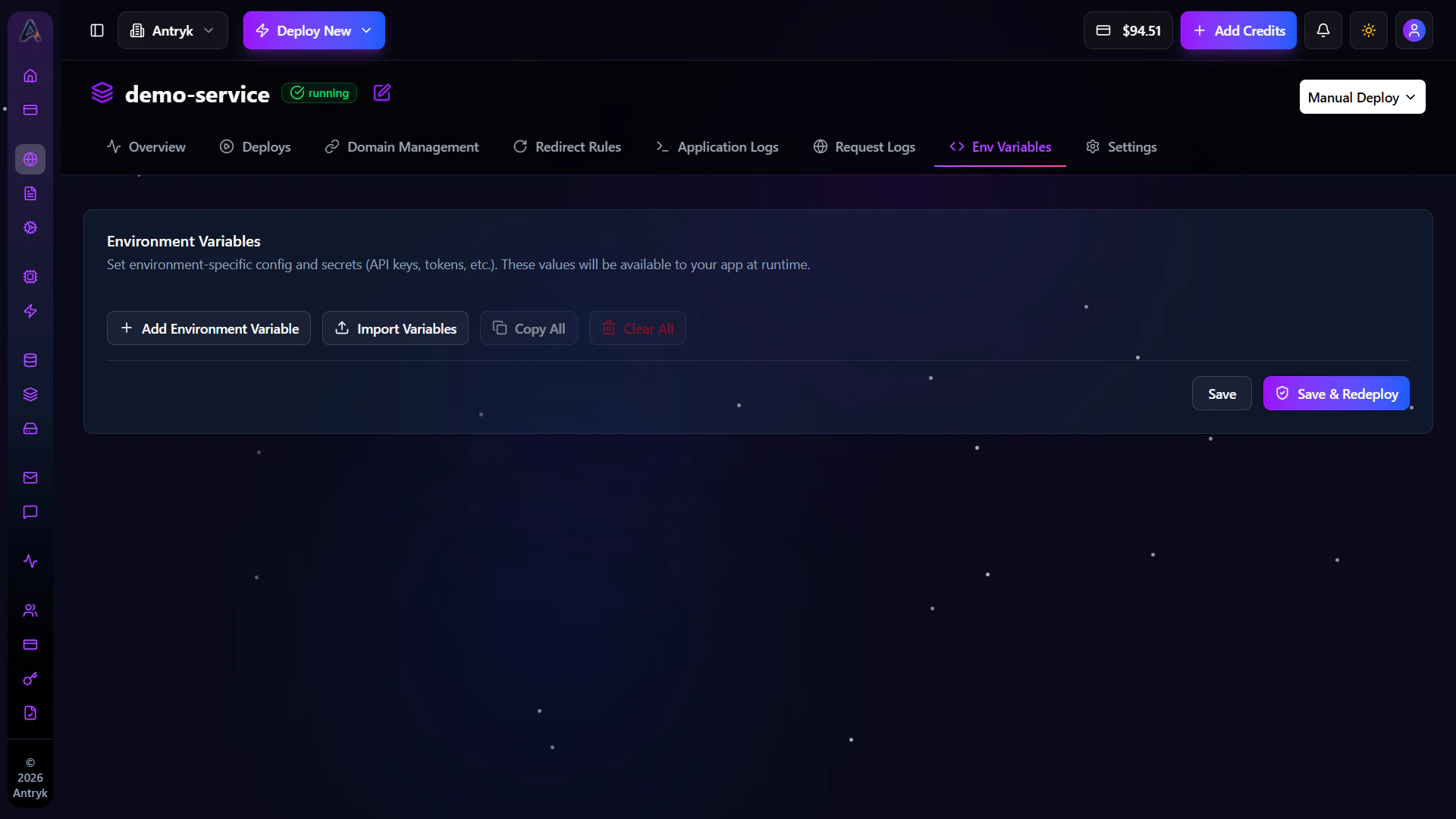
The Env tab allows you to securely manage frontend environment variables and runtime configuration. Environment variables help manage:- API endpoints
- Analytics configuration
- Public runtime variables
- Frontend environment settings
Environment Variable Features
- Add environment variables
- Edit existing values
- Delete unused variables
- Import
.envfiles - Secure sensitive configuration
Security Benefits
Environment variables improve security by:- Keeping secrets outside source code
- Supporting environment-specific configuration
- Simplifying deployment management
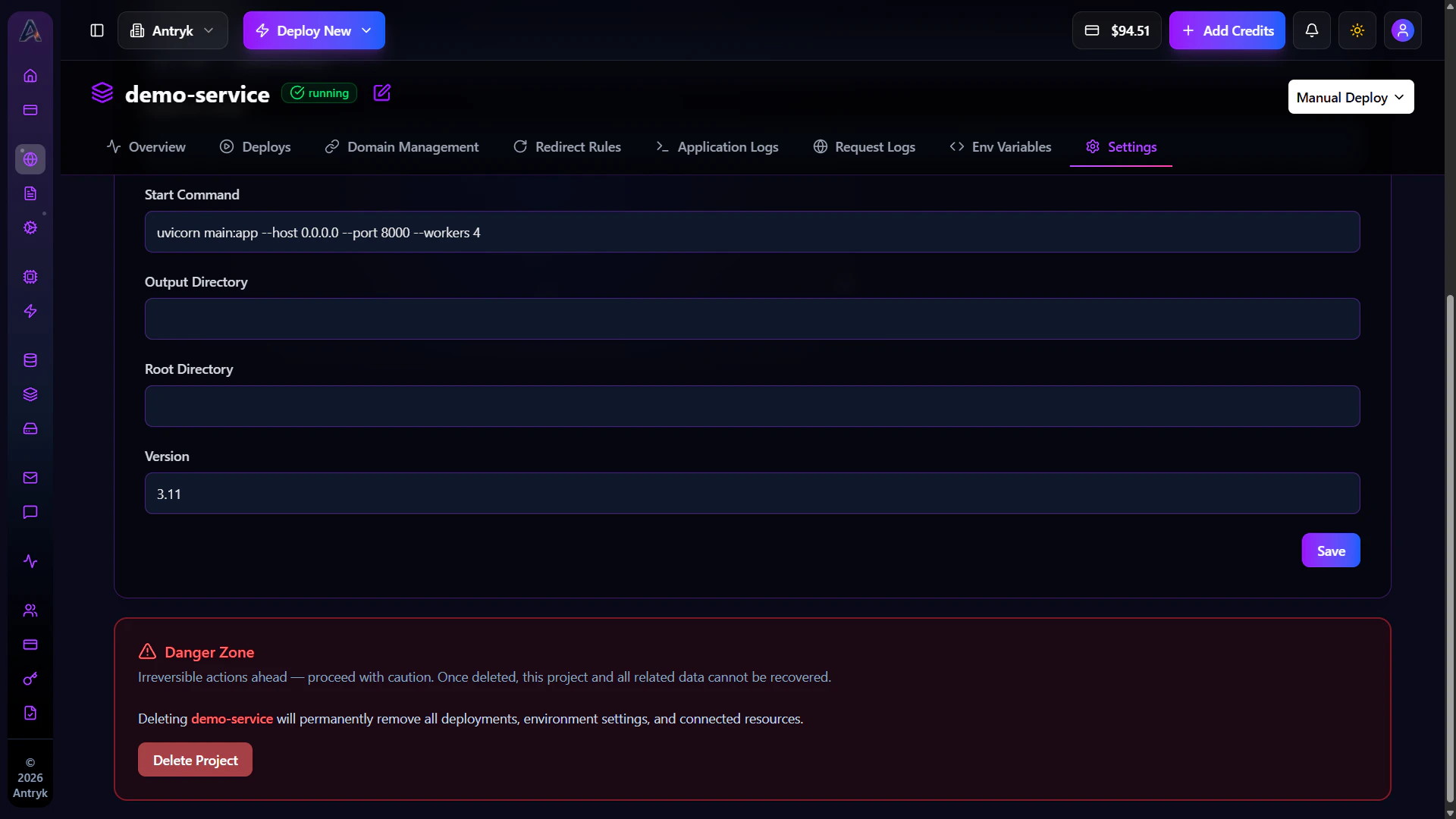
Settings
The Settings tab provides advanced service management and operational controls for your Static Service.Available Configuration
- Update service name
- Modify build configuration
- Change deployment settings
- Configure framework settings
- Manage deployment behavior
Administrative Actions
- Redeploy applications
- Delete Static Services
- Update service configuration
- Modify runtime settings
Operational Benefits
The Settings tab helps teams:- Manage production frontend infrastructure
- Optimize deployments
- Configure build environments
- Control application lifecycle
SEO Benefits of Static Services
Static Services are optimized for performance and search engine visibility. Benefits include:- Fast page load speeds
- Global CDN delivery
- HTTPS enabled by default
- Optimized frontend caching
- SEO-friendly hosting infrastructure
- Improved Core Web Vitals
Troubleshooting Static Services
Build Failed
- Verify build commands
- Check dependency installation
- Review build logs
- Confirm framework compatibility
Deployment Failed
- Verify output directory
- Ensure repository access permissions
- Check runtime version compatibility
Custom Domain Not Working
- Verify DNS records
- Wait for DNS propagation
- Confirm SSL provisioning completed
Redirect Rules Not Working
- Verify redirect configuration
- Ensure source and target URLs are correct
- Recheck domain verification status
Static Services Overview
Static Services provide developers with scalable, high-performance frontend hosting infrastructure optimized for modern web applications. Using Static Services, teams can:- Deploy frontend applications globally
- Configure custom domains
- Add redirect rules
- Enable HTTPS automatically
- Manage frontend deployments
- Optimize website performance
- Scale globally with CDN delivery
Deploy Your First Static Service
Get started with Static Services