

Documentation Index
Fetch the complete documentation index at: https://docs.antryk.com/llms.txt
Use this file to discover all available pages before exploring further.
What is MySQL?
MySQL is one of the most widely used open-source relational database management systems, trusted for web applications, SaaS platforms, enterprise software, and high-performance workloads. It offers fast query performance, strong reliability, and broad ecosystem compatibility. With Antryk MySQL, you can deploy fully managed MySQL databases in minutes while Antryk handles infrastructure management, backups, networking, and operational maintenance.MySQL Features on Antryk
- Fully managed MySQL deployments
- Multiple MySQL version support
- Secure database access control
- Automated backups and retention management
- Regional database deployments
- Connection information dashboard
- Scalable plans for development and production
- Simplified database administration
- Secure credential management
- Production-ready infrastructure
Deploy a MySQL Database
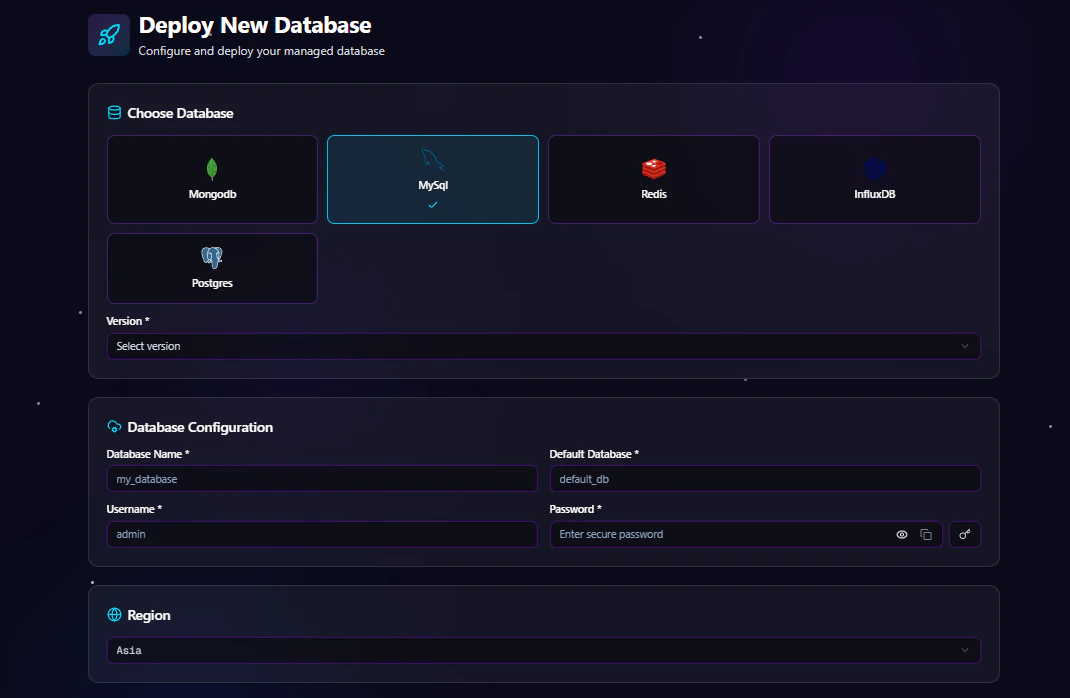
Step 1: Choose Database Type
From the deployment dashboard:- Click Create Database
- Select MySQL
Step 2: Select MySQL Version
Choose the MySQL version you want to deploy. Example versions may include:- MySQL 5.7
- MySQL 8.0
- MySQL 8.4
Step 3: Configure Database Settings
Enter your database configuration details.Database Configuration Fields
| Field | Description |
|---|---|
| Database Name | Name of your MySQL database |
| Default Database | Primary database for your application |
| Username | Database admin username |
| Password | Secure password for authentication |
Example Configuration
Step 4: Select Deployment Region
Choose the region closest to your users or application infrastructure. Available regions include:- USA
- ASIA
- EUROPE
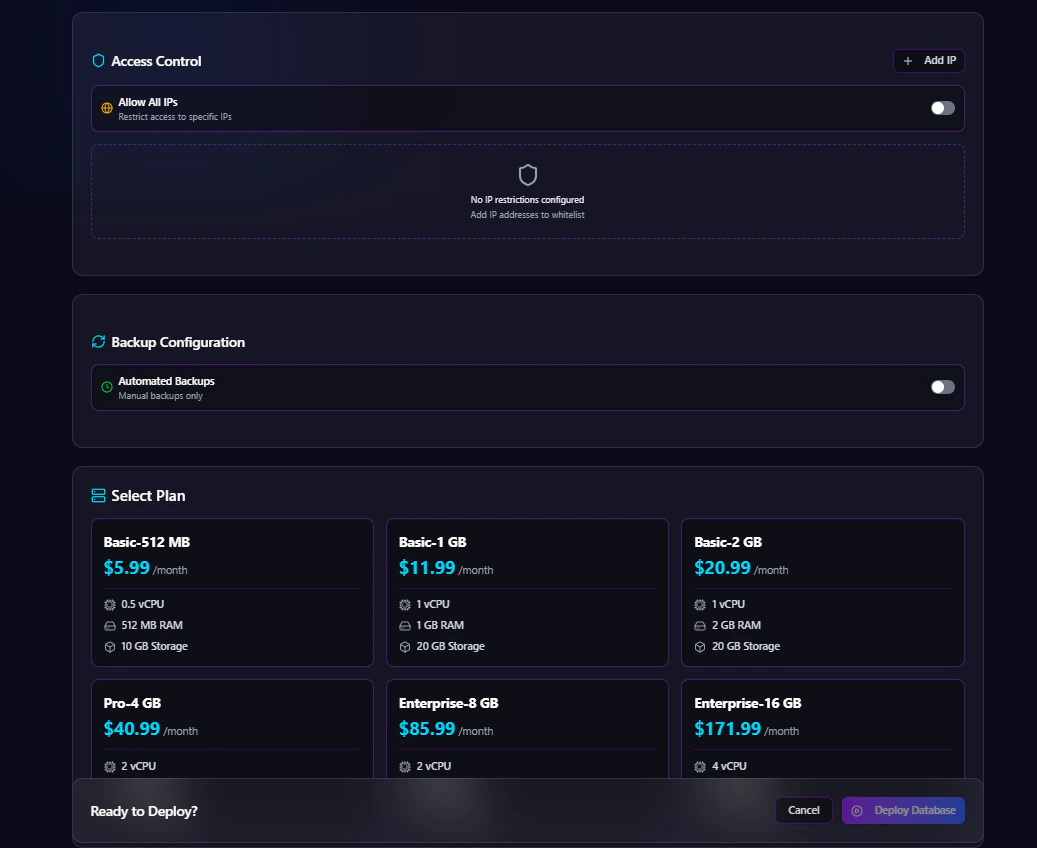
Step 5: Configure Access Control
Antryk provides flexible database access management.Option 1: Allow Specific IP Addresses
Restrict database access to trusted IP addresses only. Example:Option 2: Allow All IPs
Enable public access from all IP addresses.Recommended only for development environments or temporary testing.
Step 6: Configure Automated Backups
Automated backups help protect your data and simplify disaster recovery.Enable or Disable Backups
You can:- Enable automated backups
- Disable automated backups
Backup Frequency Options
If backups are enabled, choose a backup schedule:- Hourly
- Daily
- Monthly
Backup Retention Options
Select how long backups are stored:- 7 Days
- 14 Days
- 30 Days
- 90 Days
Step 7: Select a Plan
Choose a MySQL plan based on your workload requirements. Plans may vary based on:- CPU
- Memory
- Storage
- Network performance
- Backup limits
Step 8: Deploy Database
After completing configuration:- Review all settings
- Click Deploy Database
MySQL Database Overview Page
The Overview page provides essential database connection and deployment information.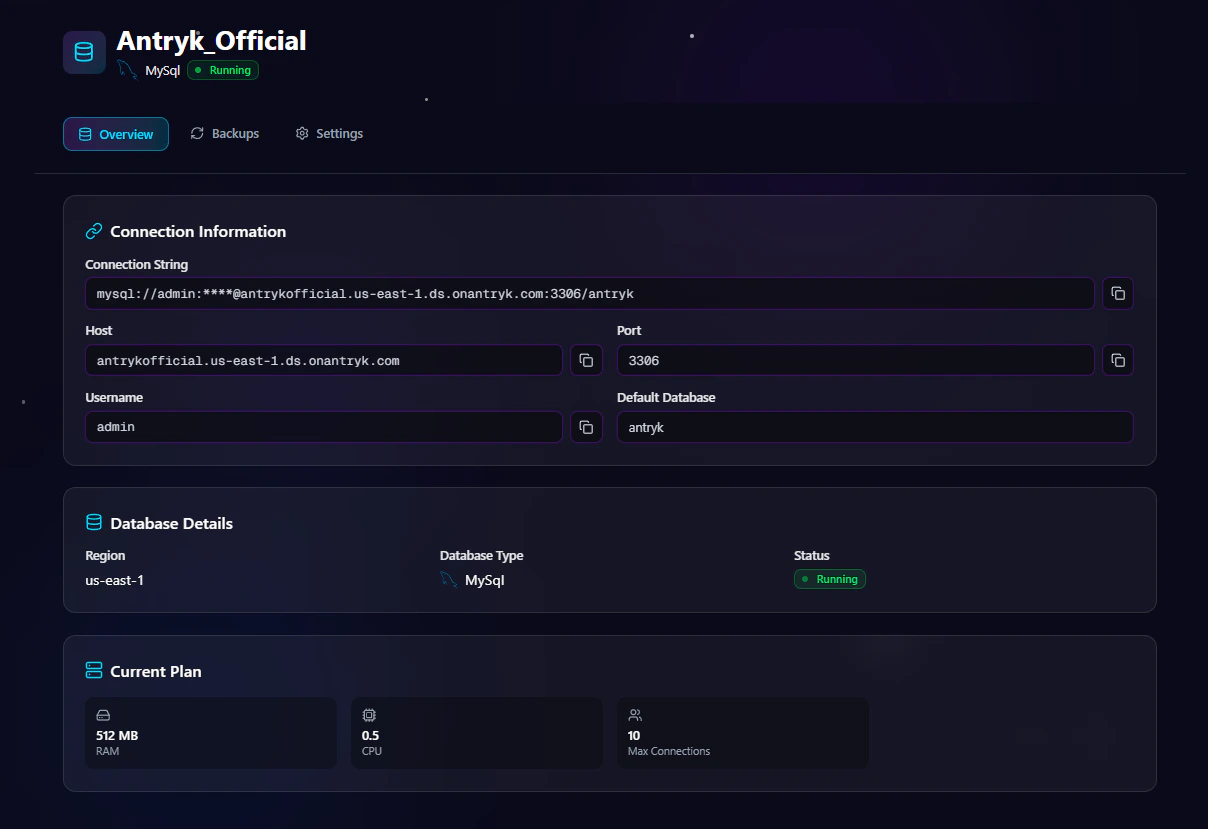
Available Information
Connection String
Use the generated MySQL connection string directly in your applications. Example:Host
Database hostname used for external connections.Port
Default MySQL port:Default Database
The primary database configured during deployment.Username
Database authentication username.MySQL Settings Page
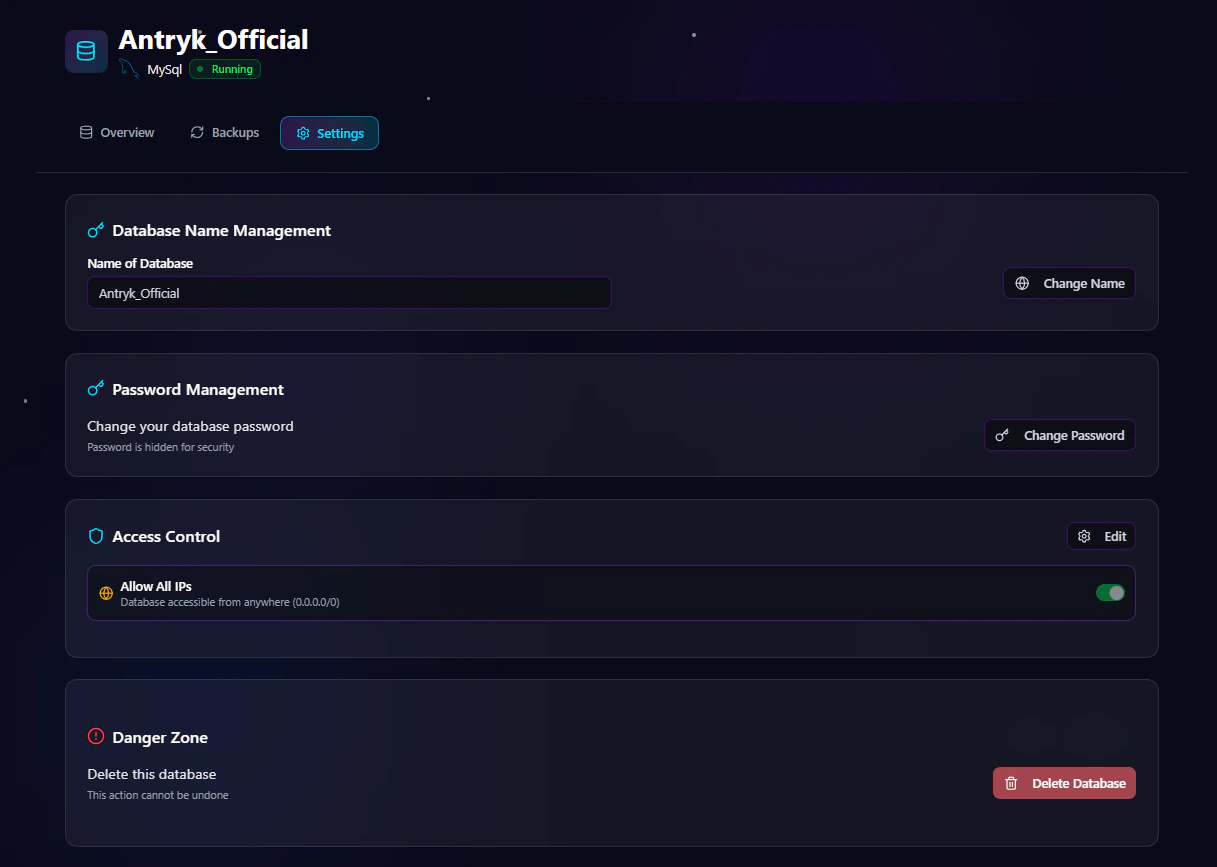
Available Settings
Change Database Password
Rotate credentials securely without redeploying the database.Regenerate API Key
Generate a new API key for secure integrations.Rename Database
Update the database name when needed.Update Access Control
Modify IP allowlists or enable/disable public access.Delete Service
Permanently remove the MySQL deployment.Warning: Deleting a service permanently removes the database and associated data.
MySQL Backup Page
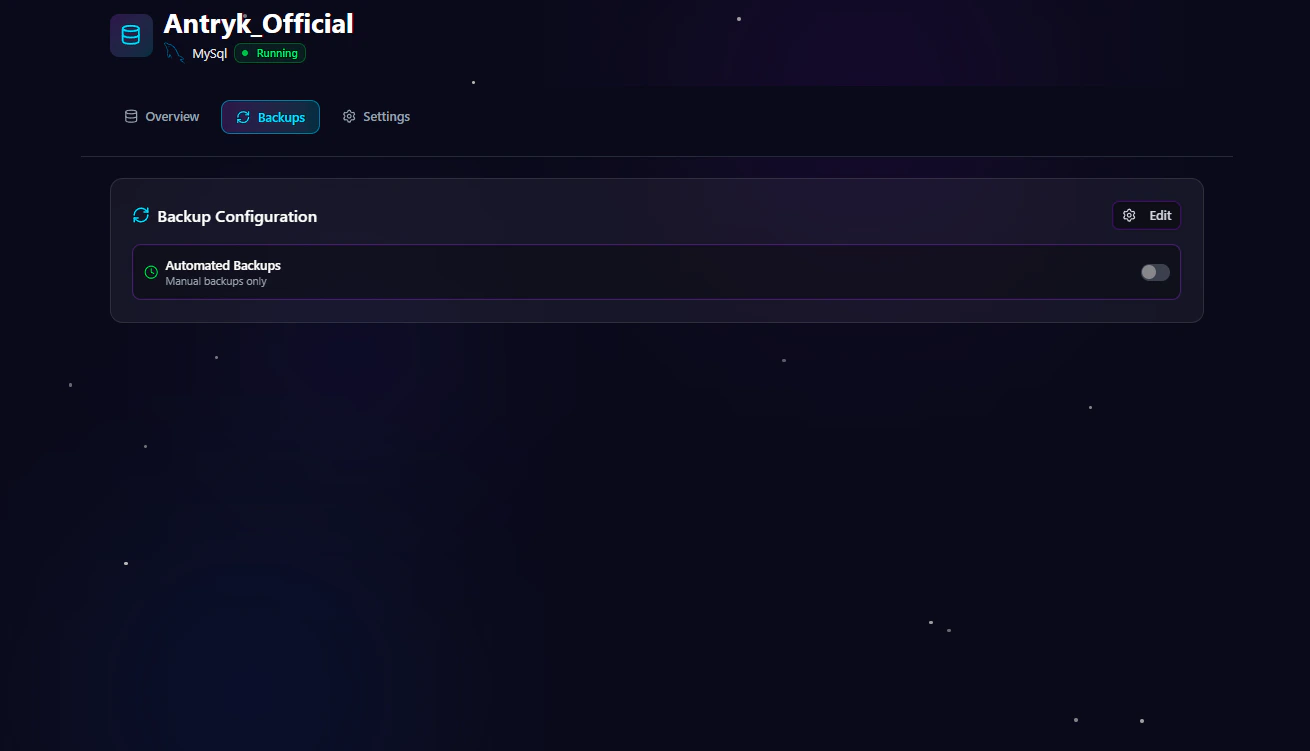
Backup Management Features
Update Backup Frequency
Change backup schedules anytime:- Hourly
- Daily
- Monthly
Modify Retention Period
Adjust how long backups are stored:- 7 Days
- 14 Days
- 30 Days
- 90 Days
Enable or Disable Backups
Turn automated backups on or off depending on project requirements.Security Features
Antryk MySQL deployments include multiple security controls.Built-In Security
- IP-based access control
- Secure password authentication
- Encrypted connections
- Credential management
- Secure infrastructure isolation
Common MySQL Use Cases
MySQL is suitable for many modern applications.Popular Use Cases
- SaaS applications
- Web applications
- REST APIs
- Financial systems
- Analytics platforms
- Content management systems
- E-commerce platforms
- Enterprise applications
Connecting to MySQL
Use the connection information from the Overview page to connect your application.Node.js Example
Python Example
PHP Example
Best Practices
Recommended Production Configuration
- Use restricted IP access
- Enable automated backups
- Select daily or hourly backups for production workloads
- Use strong passwords
- Deploy in the closest region to your users
- Regularly rotate credentials
Why Choose MySQL on Antryk?
Antryk simplifies MySQL infrastructure management so teams can focus on building applications instead of managing servers.Benefits
- Fast database deployment
- Simplified operations
- Secure infrastructure
- Flexible backup management
- Regional deployments
- Production-ready performance
- Developer-friendly experience