

Documentation Index
Fetch the complete documentation index at: https://docs.antryk.com/llms.txt
Use this file to discover all available pages before exploring further.
Background Workers
Background Workers allow developers to process asynchronous jobs, queues, scheduled tasks, and long-running workloads without managing infrastructure. Using Background Workers, teams can build scalable job-processing systems for:- Queue consumers
- Email processing
- Media optimization
- Scheduled tasks
- Background APIs
- Event processing
- ETL pipelines
- Notifications
- AI processing jobs
- Distributed workloads
What are Background Workers?
Background Workers are continuously running backend processes designed to execute asynchronous workloads outside the main request-response lifecycle. Unlike traditional web services, workers do not expose public HTTP endpoints. Instead, they process tasks from queues, databases, schedulers, or external systems. Background Workers are ideal for handling compute-intensive or delayed operations independently from your frontend or API infrastructure.Key Features
- Queue Processing — Process jobs from distributed queues
- Autoscaling Workers — Scale automatically based on workload
- Retry Logic — Retry failed jobs automatically
- Dead Letter Queue Support — Handle permanently failed tasks
- Scheduled Jobs — Run cron-based workloads
- Monitoring & Logs — Track worker execution in real time
- High Concurrency — Process multiple jobs simultaneously
- Environment Variables — Secure runtime configuration
- Production Infrastructure — Reliable scalable execution
- Git-Based Deployments — Deploy workers directly from repositories
Use Cases
Background Workers are commonly used for:- Processing image uploads
- Sending transactional emails
- Notification systems
- Payment processing
- AI inference pipelines
- Scheduled reports
- Data synchronization
- Video transcoding
- Queue consumers
- Background database jobs
- Third-party API integrations
- Web scraping and automation
Supported Queue Types
Antryk Background Workers support multiple queue and messaging systems.Supported Queues
- Redis Queues
- RabbitMQ
- PostgreSQL Queues
- Amazon SQS
- Kafka Consumers
- Custom Queue Implementations
Quickstart: Deploy a Background Worker
Deploy scalable background workers in just a few steps.Step 1: Push Your Worker Code to GitHub
Push your worker application repository to GitHub, GitLab, or Bitbucket. Example supported runtimes:- Node.js
- Python
- Go
- Ruby
- Java
Example Worker Structure
Node.js Queue Worker
Example package.json
Step 2: Create a Background Worker
In the Antryk Dashboard: Sidebar → Background Workers → Deploy WorkerStep 3: Configure Your Worker
Provide the following values during deployment.Service Name
Give your worker a production-ready name.Deploy from Git Providers
- Git Provider — Select GitHub/GitLab/Bitbucket
- Repository — Select your worker repository
- Branch — Deployment branch
- Framework — Automatically detected runtime
- Install Command — Example:
npm install - Build Command — Optional build step
- Start Command — Example:
node worker.js - Version — Runtime version
Region
Select deployment region:- USA
- Europe
- Asia
Environment Variables
Add worker configuration variables. Examples include:- Queue URLs
- Database credentials
- API keys
- Redis URLs
- Kafka brokers
- Secret tokens
Worker Configuration Summary
| Setting | Value |
|---|---|
| Repository | your-username/background-worker |
| Branch | main |
| Framework | Node.js |
| Install Command | npm install |
| Build Command | (optional) |
| Start Command | node worker.js |
| Version | 18 |
| Region | us-east-1 |
Step 4: Deploy
Click Deploy and your Background Worker will start processing jobs automatically. Antryk automatically handles:- Worker provisioning
- Runtime orchestration
- Failure recovery
- Autoscaling
- Infrastructure management
- Process monitoring
Every push to your connected branch automatically triggers a new deployment.
Step 5: Monitor Your Worker
Once deployed, you can:- View worker logs
- Monitor deployments
- Configure environment variables
- Track runtime health
- Review deployment history
- Manage worker configuration
Scaling Configuration
Background Workers support intelligent autoscaling based on workload activity.Autoscaling Settings
Configure:- Minimum worker instances
- Maximum worker instances
- Queue scaling thresholds
- Concurrency limits
- Scale-down delays
Autoscaling Benefits
- Efficient infrastructure usage
- Automatic workload handling
- Reduced operational overhead
- Better fault tolerance
- High-throughput processing
Monitoring & Reliability
Antryk provides production-grade worker monitoring capabilities.Monitoring Features
- Worker health monitoring
- Real-time application logs
- Deployment tracking
- Runtime visibility
- Failure tracking
- Retry monitoring
Reliability Features
- Automatic retries
- Worker restarts
- Failure recovery
- Distributed execution
- Queue persistence support
Supported Runtime Examples
Node.js
Python
Go
Ruby
Pricing
Background Workers are billed based on:- Worker instance runtime
- CPU allocation
- Memory allocation
- Queue processing usage
- Infrastructure resources
Background Worker Detail Insights
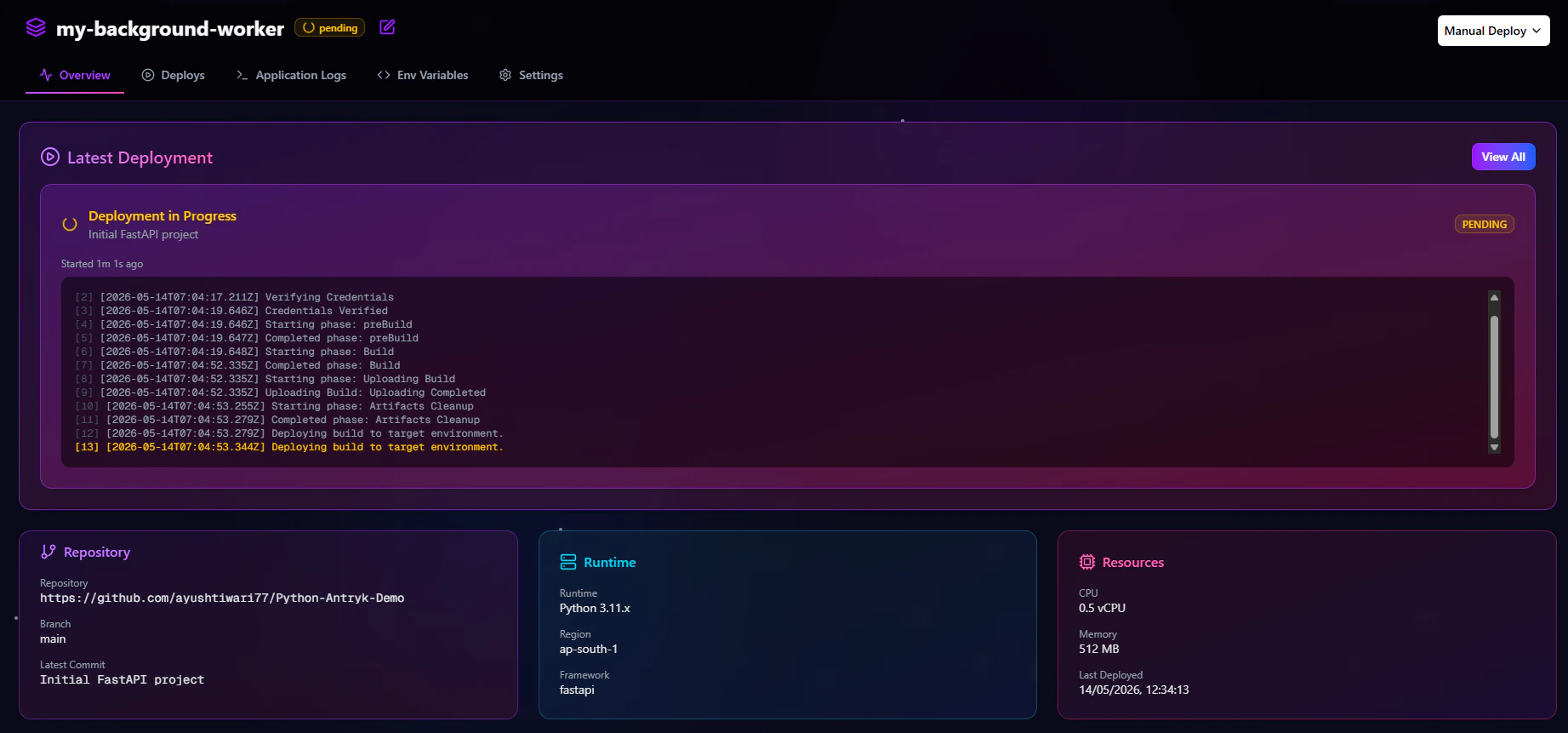
Click any Background Worker to open the detailed worker management dashboard. This dashboard provides visibility into deployments, runtime logs, environment variables, worker configuration, and operational controls.Overview
The Overview tab provides a high-level summary of your Background Worker infrastructure and deployment configuration.Available Information
- Active deployment status
- Connected repository
- Runtime version
- Deployment branch
- Latest deployment activity
- Worker configuration
- Region information
- Resource allocation
Operational Benefits
The Overview tab helps teams:- Verify worker health
- Review deployment metadata
- Confirm runtime configuration
- Monitor infrastructure settings
Deploys
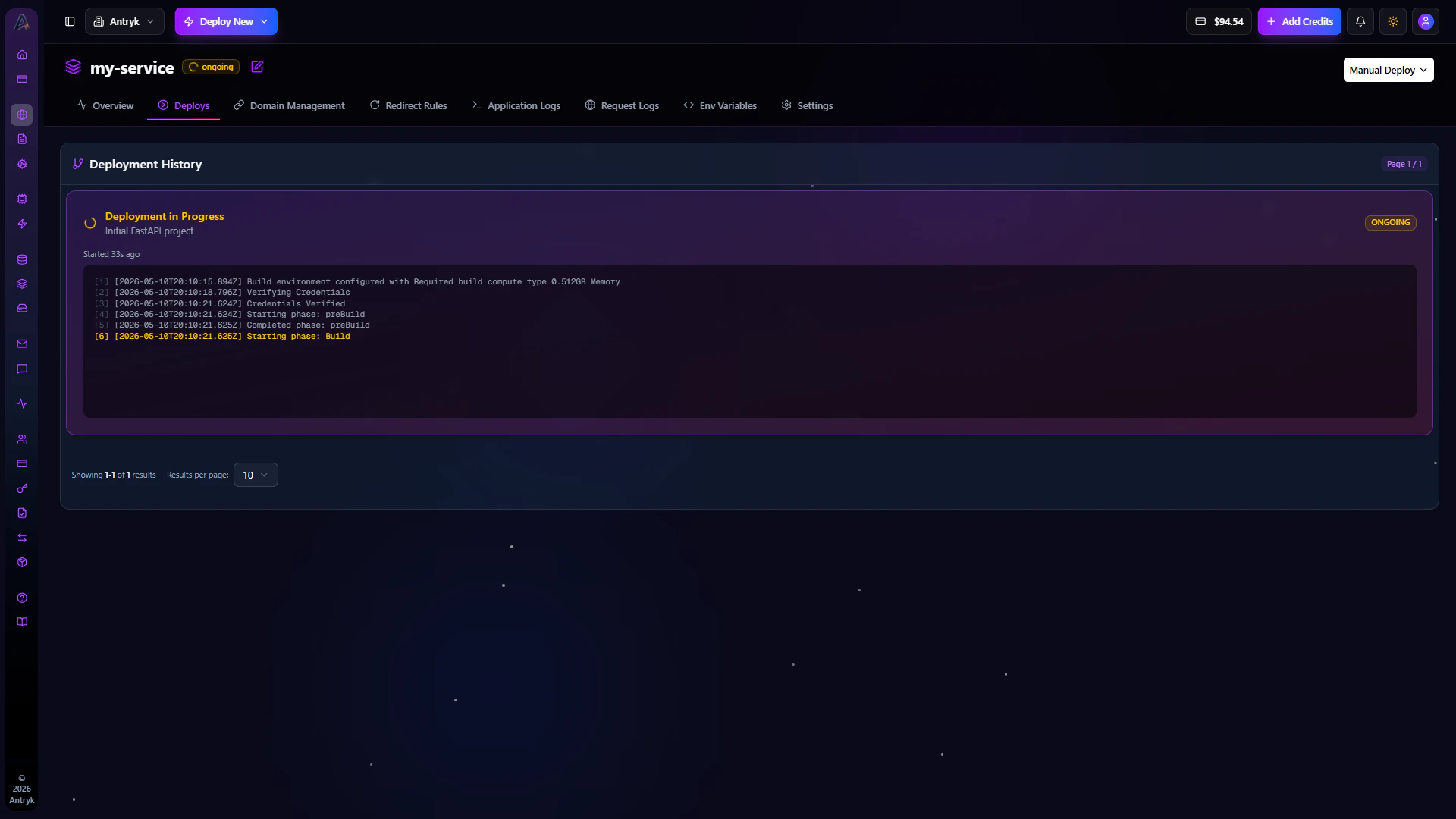
The Deploys tab contains the complete deployment history for your worker service. Every deployment triggered from Git pushes or redeployments is recorded here.Deployment Features
- Deployment history
- Build status visibility
- Deployment logs
- Commit tracking
- Failed deployment debugging
- Redeployment support
Deployment Monitoring
Each deployment includes:- Deployment ID
- Commit reference
- Deployment duration
- Deployment status
- Trigger source
- Timestamp
Application Logs
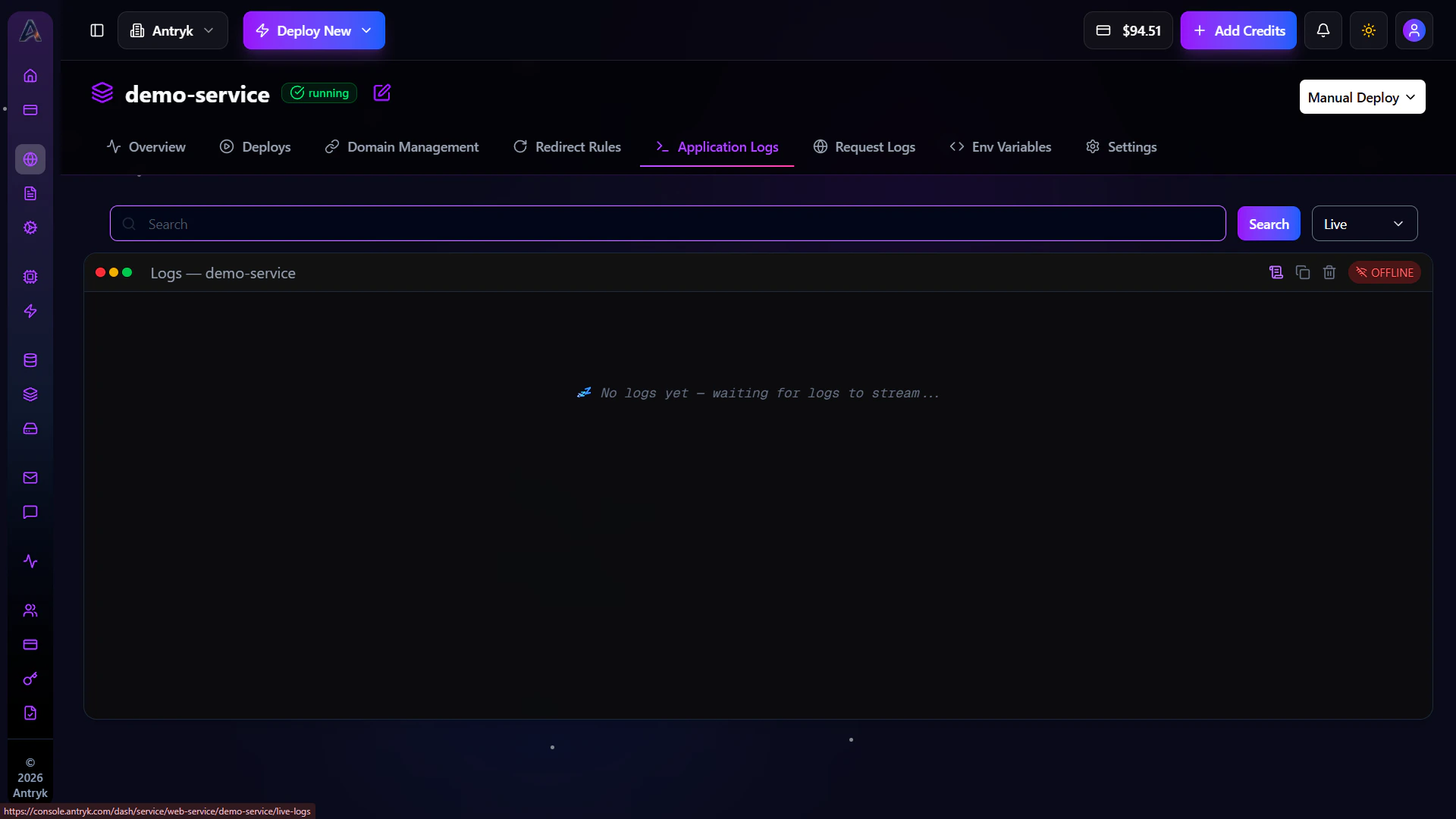
The Application Logs tab provides real-time runtime visibility into your Background Workers. Logs help developers monitor worker execution, queue processing, retries, failures, and operational events.Logging Features
- Real-time log streaming
- Search and filtering
- Time-range selection
- Error inspection
- Retry tracking
- Structured log analysis
Common Use Cases
- Debug failed jobs
- Monitor worker execution
- Analyze queue processing
- Track retry behavior
- Troubleshoot runtime issues
Available Time Filters
- Live logs
- Last 1 hour
- Last 6 hours
- Last 24 hours
Environment Variables
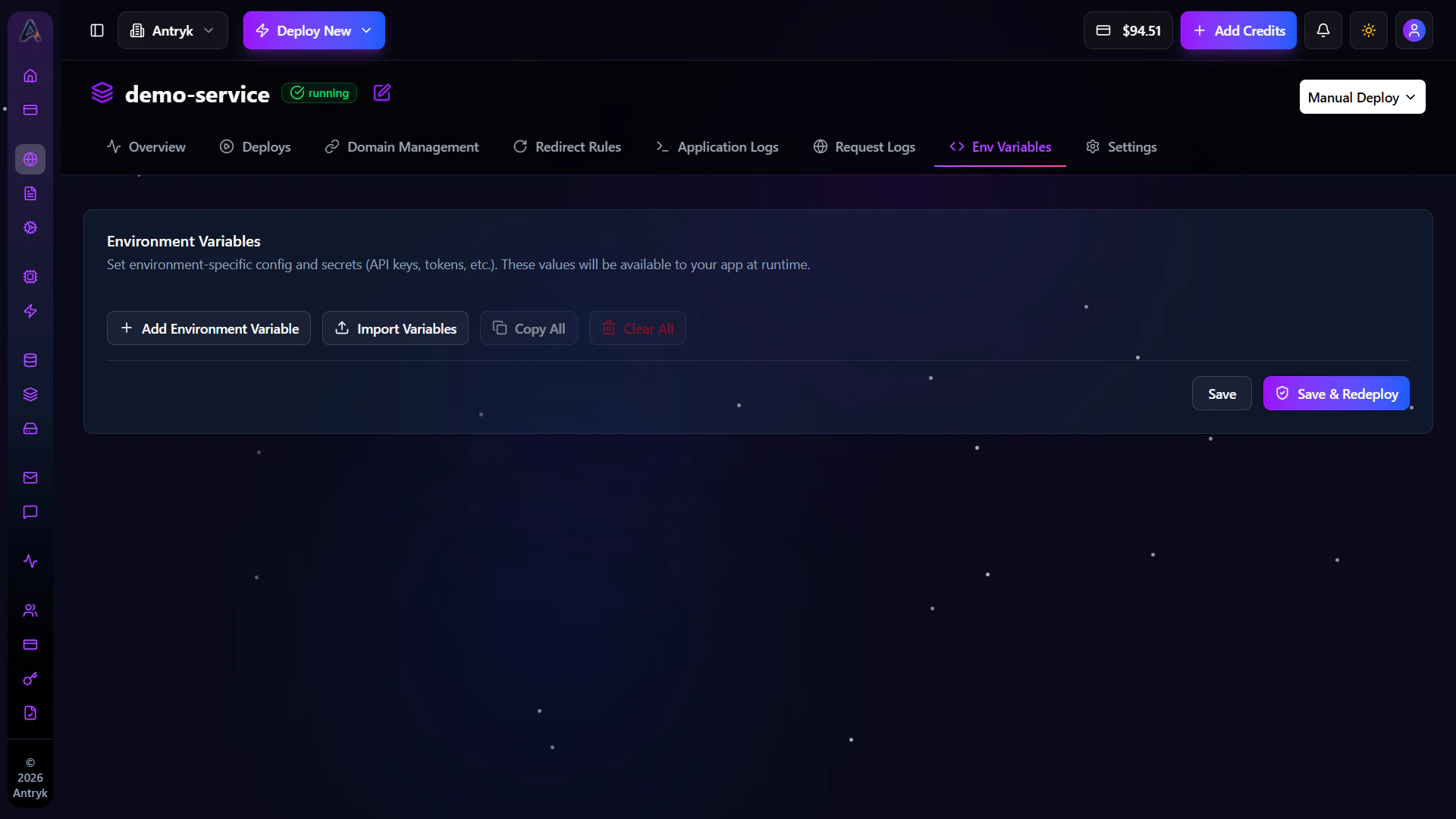
The Env tab allows developers to securely manage worker configuration and secrets.Environment Variable Features
- Add variables
- Edit values
- Delete unused variables
- Store secrets securely
- Import
.envfiles
Common Variables
Examples include:- Queue URLs
- Redis credentials
- Kafka brokers
- Database URLs
- API tokens
- External service credentials
Security Benefits
Environment variables improve operational security by:- Keeping secrets outside source code
- Simplifying runtime configuration
- Supporting environment-based deployments
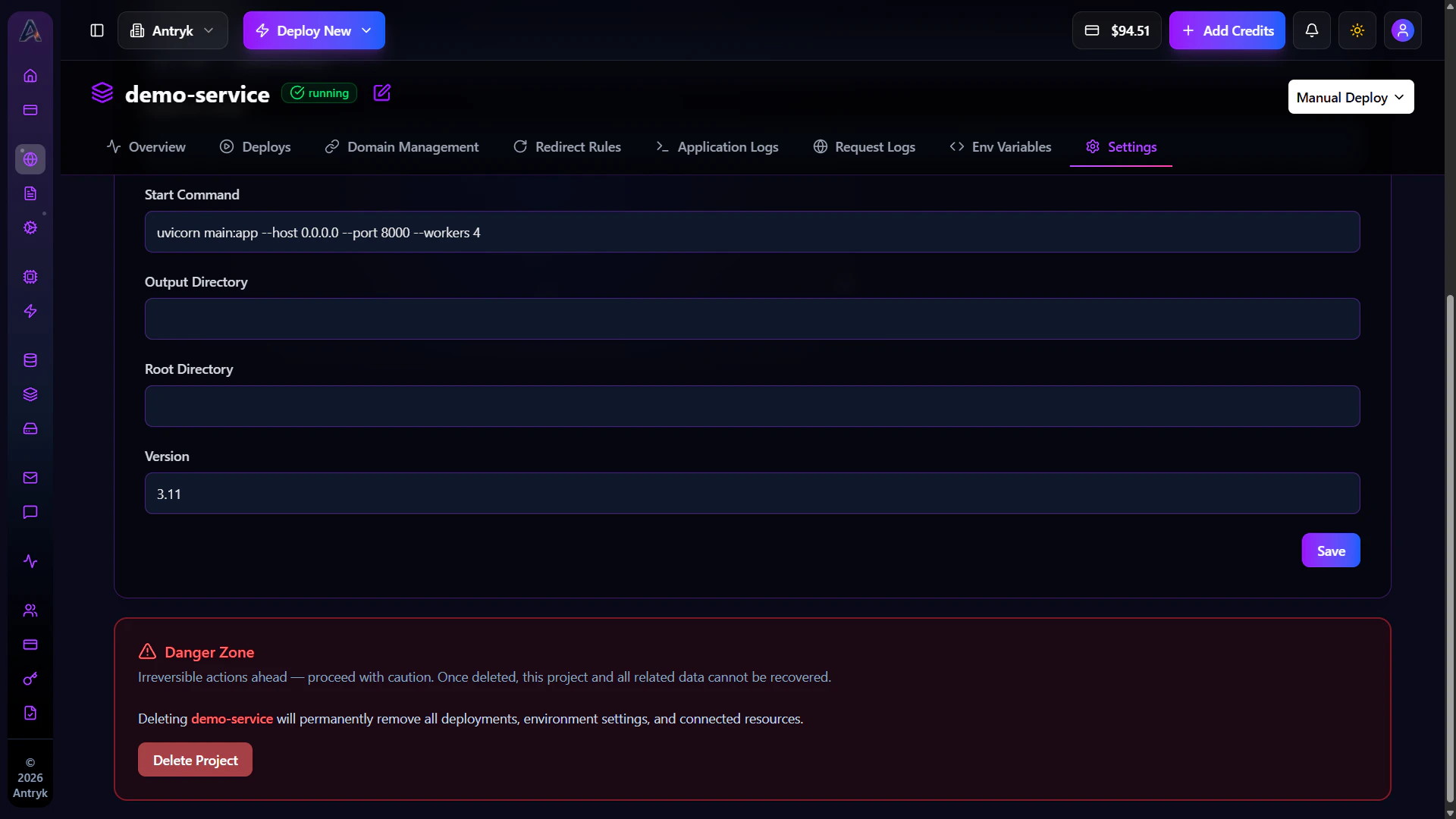
Settings
The Settings tab contains advanced worker configuration and lifecycle management controls.Configuration Options
- Update worker name
- Modify runtime settings
- Configure scaling
- Adjust resources
- Redeploy workers
- Delete workers
Resource Configuration
Manage:- CPU allocation
- Memory limits
- Runtime versions
- Worker concurrency
- Scaling configuration
Operational Benefits
The Settings tab helps teams:- Optimize infrastructure
- Control deployments
- Manage worker lifecycle
- Configure production behavior
Troubleshooting Background Workers
Worker Not Processing Jobs
- Verify queue connection strings
- Confirm worker is running
- Check queue permissions
- Inspect runtime logs
Jobs Failing Repeatedly
- Review application logs
- Validate retry configuration
- Inspect external API connectivity
- Check database availability
Deployment Failed
- Verify build commands
- Confirm runtime version compatibility
- Check dependency installation logs
Environment Variables Not Working
- Verify variables are configured correctly
- Restart worker after changes
- Ensure variable names match runtime code
Background Workers Overview
Background Workers provide scalable, reliable infrastructure for asynchronous task execution and distributed job processing. Using Background Workers, teams can:- Process jobs at scale
- Build resilient queue systems
- Automate backend workflows
- Run scheduled tasks
- Scale worker infrastructure dynamically
- Monitor runtime execution
- Deploy distributed processing systems